Instructions to register for Pro Clinic (same process as registration into the core program!):
1. Log in to www.ayso459.org.
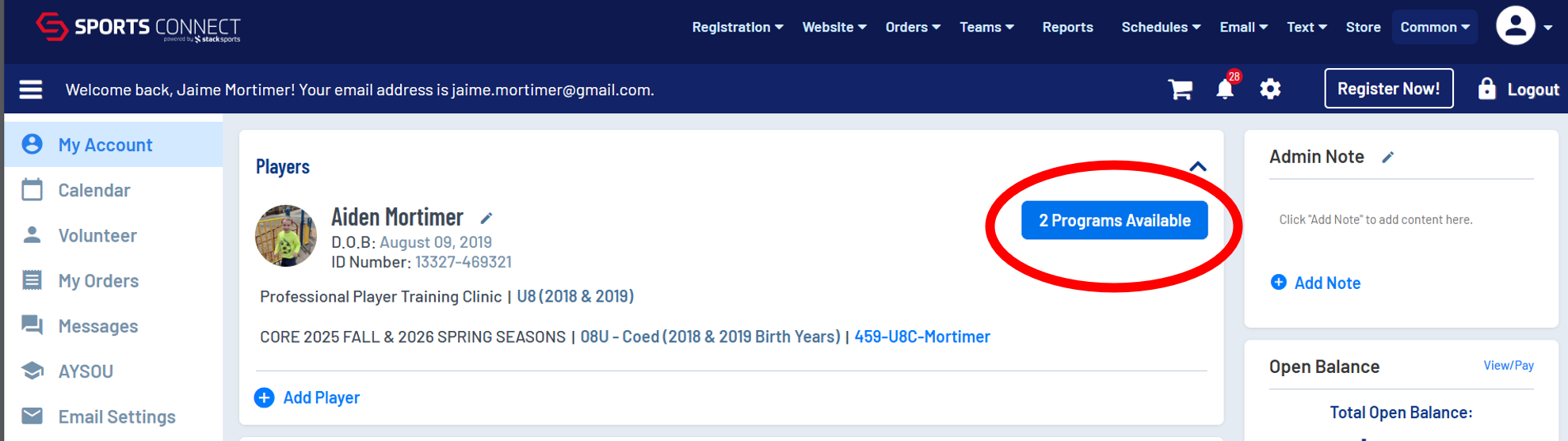
2. Look at your main page and you will see your players listed at the top of the page. To the right of each player's name, there is a clickable button that tells you how many programs are available to register into. Each player likely has a button that says "2 programs available."
3. Click the button that says "2 programs available."
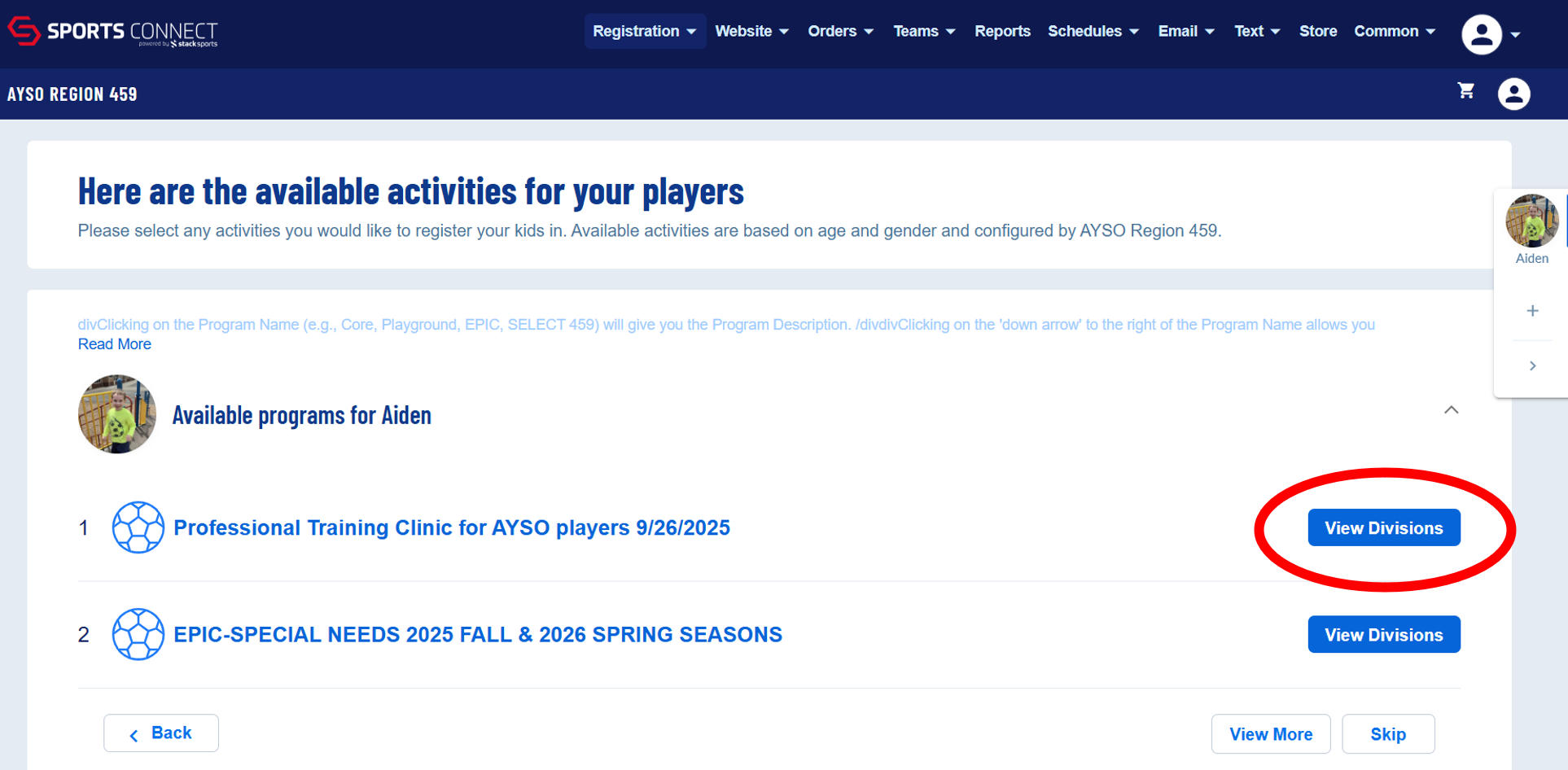
4. The next screen shows you the programs available Click to see the divisions avialable in the program you want.
5. The next screen automatically shows you the appropriate divsiion(s) for the given player. Click "Select" and then click "Continue" at the bottom of the page.

6. This will take you to a check out screen. The program is $0, but it still has a check out process. Click the "Submit Order" button to process and you will get a confirmation email.
